FretNinja
A chord is not a shape
Type any chord and see every playable way to finger it across the whole neck.
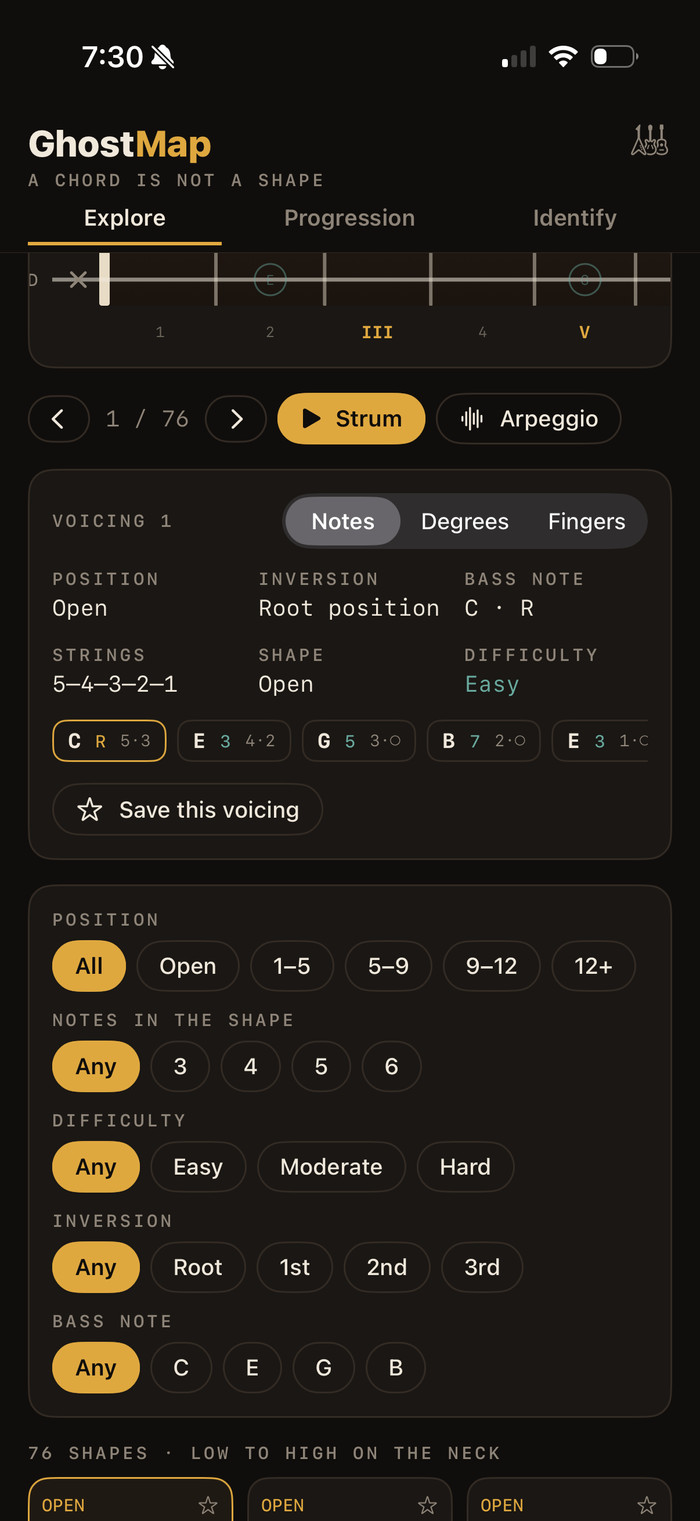
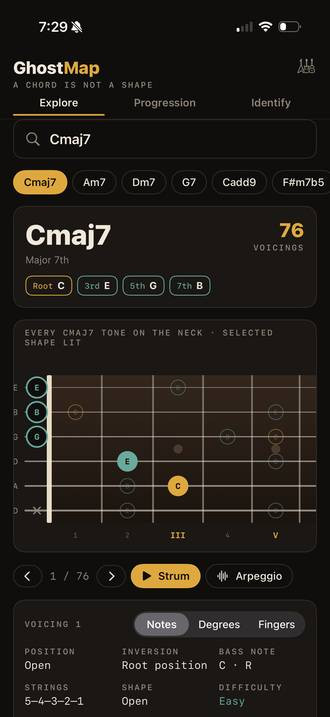
The ghost map
Every place a chord's tones appear across fifteen frets, glowing at once, with one voicing lit on top. Move through the shapes and the lit grip travels while the map stays still.
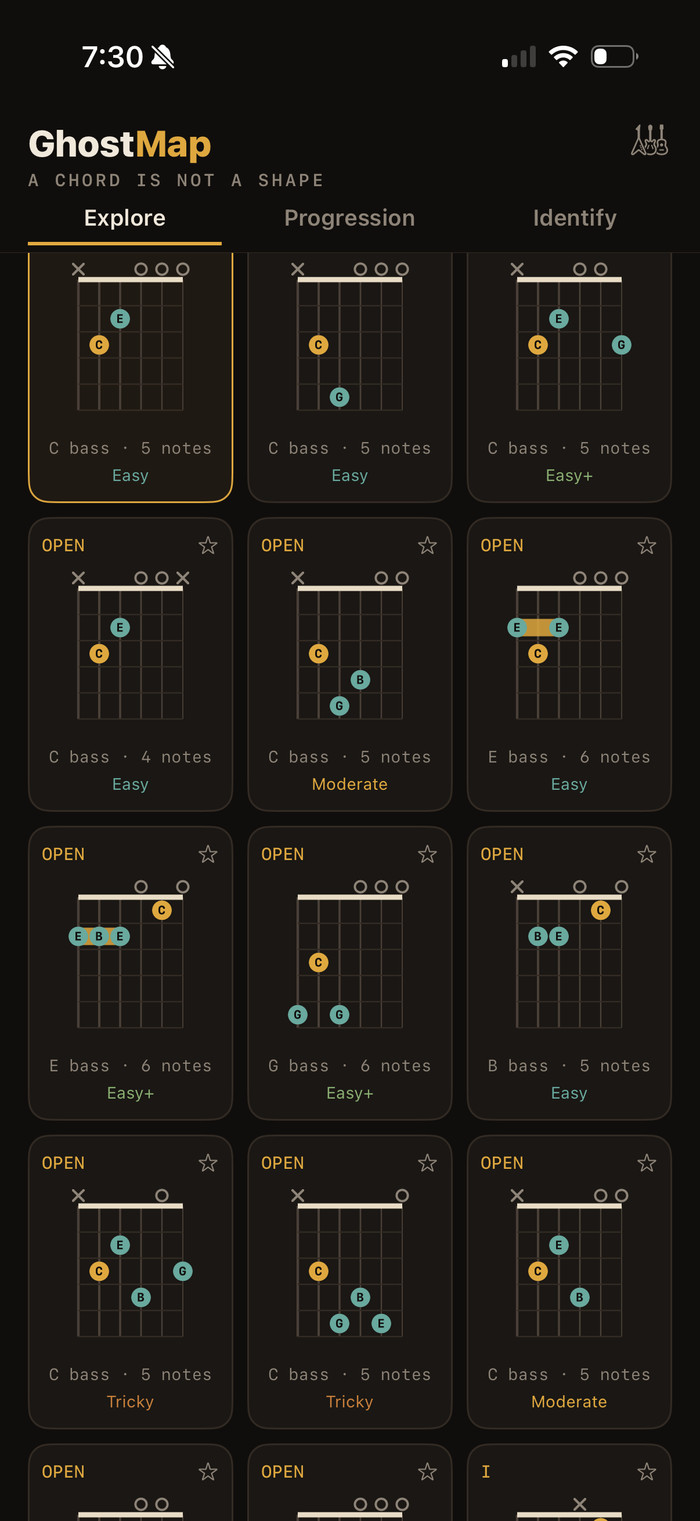
Only shapes you can play
FretNinja generates every possibility then rejects the ones that span too far, need a fifth finger, or clash in the bass. What is left is what you would actually play.
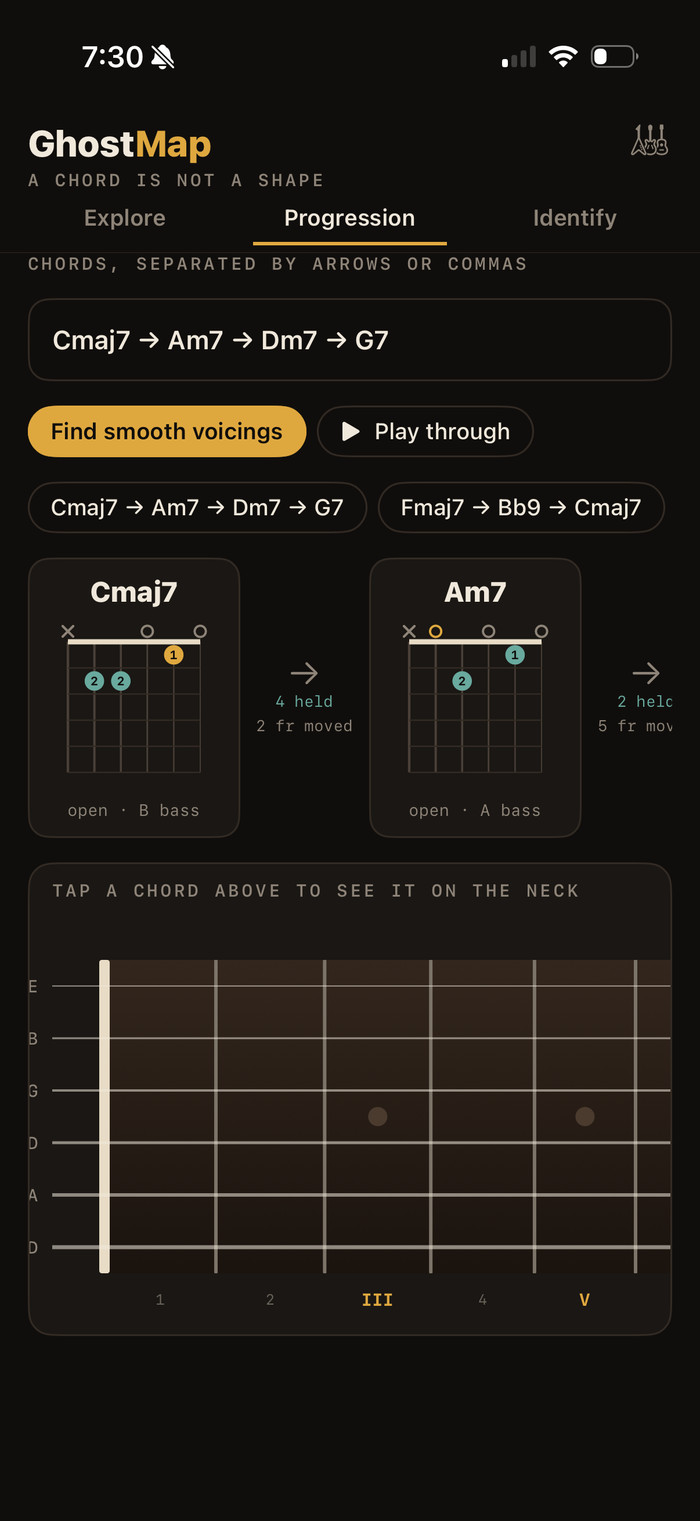
Voice leading
Enter a progression and FretNinja picks the shapes that move least between chords.
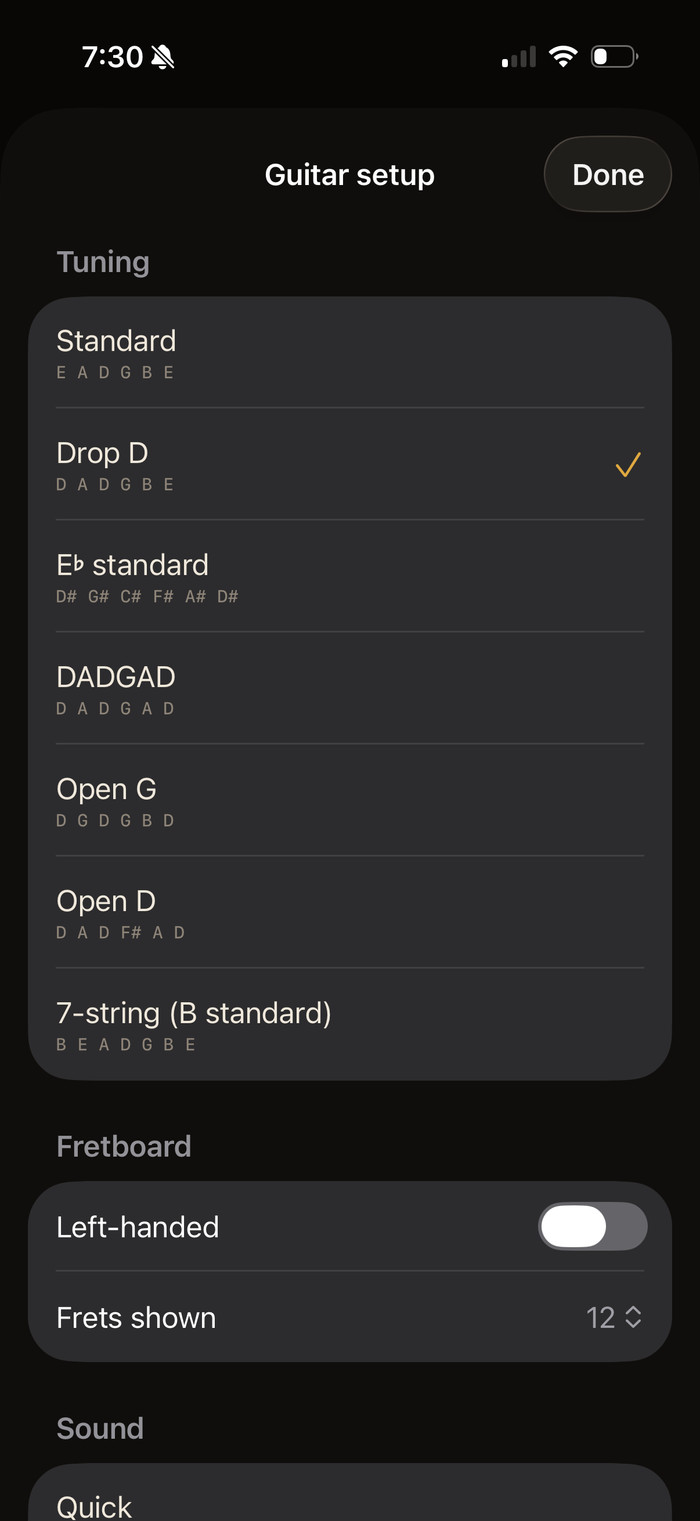
Built for the instrument
- 35 chord qualities from triads to 13ths and altered dominants
- slash chords with the bass note where you asked for it
- tunings including Standard, Drop D, DADGAD, Open G, Open D, E flat and 7-string
- a left-handed fretboard
- twelve, fifteen or eighteen frets
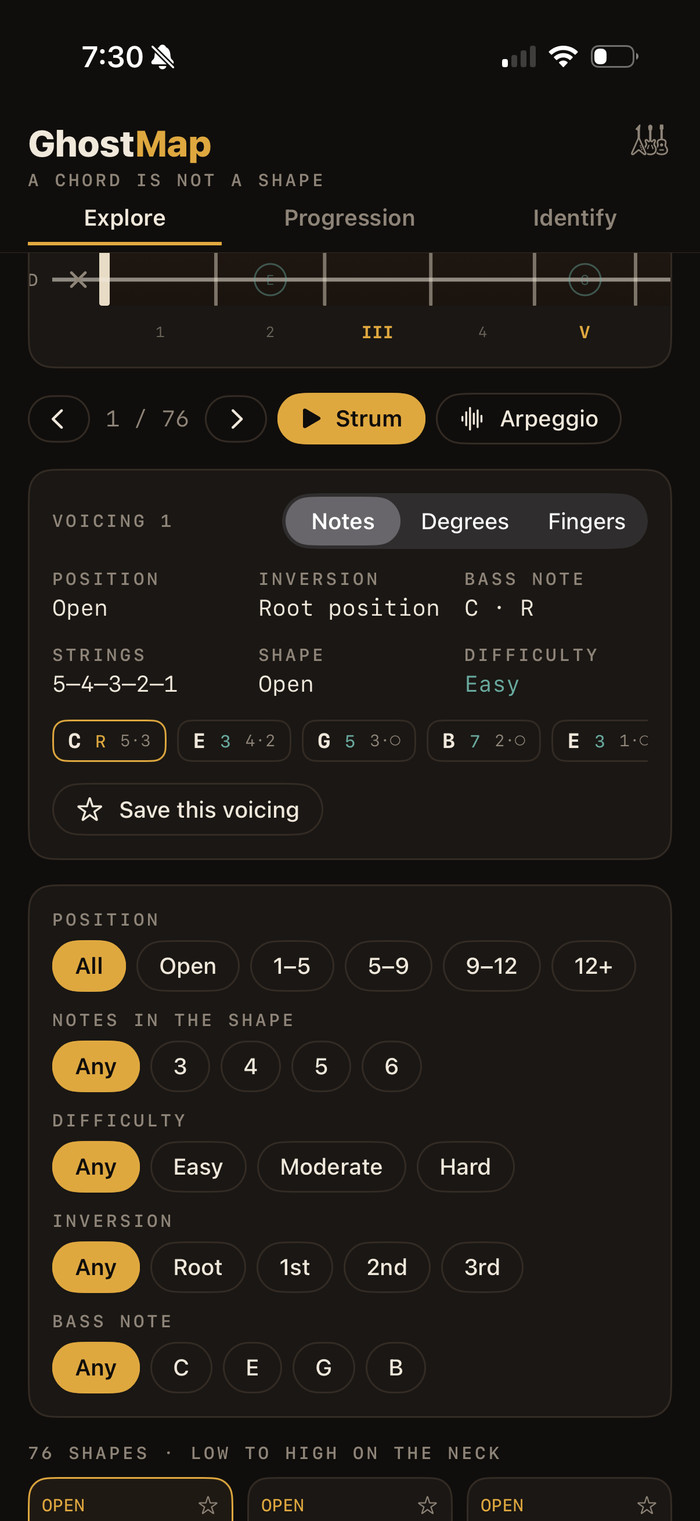
What you get for every voicing
- fingering with barres marked
- which chord tone sits on each string
- the inversion and bass note
- string set and position
- a difficulty rating you can filter by
Support
Questions, bugs, or feature requests: silo424@icloud.com. I read everything and usually reply within a few days. Include iPhone model, iOS version, app version, and the chord and tuning you were using.